
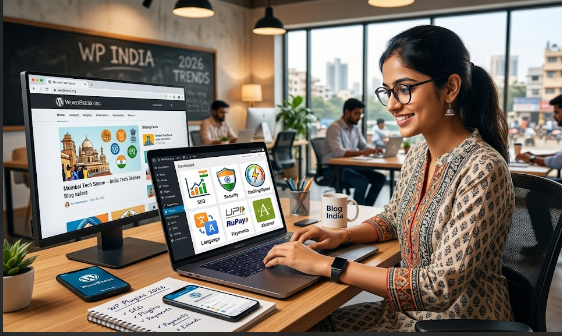

Here’s a scene every Indian web developer knows. A client calls: “Bhai, site bahut slow ho gayi hai.” You log in, open the plugins page, and there they are — 38 active plugins. Three different SEO plugins. Two caching plugins fighting each other. A slider plugin powering a slider that was deleted a year ago.
This is the plugin trap, and it’s the single biggest reason small Indian websites are slow, hacked, or broken. On budget shared hosting and over patchy mobile data, every unnecessary plugin is a tax your visitors pay in loading time.
So this guide flips the usual “top 50 plugins” listicle on its head. Instead of collecting plugins like stamps, you’ll learn to think in jobs: the 8 things every site genuinely needs handled — and the one best plugin for each. Fewer plugins, faster site, fewer 3 AM “site down” calls.

First, understand the plugin trap.
Every plugin you install adds code that runs on your site — more database queries, more scripts, more things that can break or be exploited. A handful of well-chosen plugins barely registers. Forty random ones turn a snappy site into a crawling one.
And speed isn’t vanity. Google uses page speed for rankings, and Indian visitors on mobile data abandon slow sites fast. Here’s what just two of the right plugins — caching and image optimisation — typically do to load time:
Cutting load time from 5 seconds to under 2 can dramatically lower your bounce rate. That’s the whole point: the right plugins should make your site lighter, not heavier.
The 8 Plugin Jobs Every Indian Site Needs
Pick one plugin per job, set it up properly, and stop. Here’s the complete shortlist — free options first, since most Indian sites never need to pay:
| The Job | Plugin to Use | Why It Matters |
|---|---|---|
| Security | Wordfence or Solid Security | Firewall + 2FA blocks the brute-force logins that hit Indian sites daily |
| Speed / Caching | LiteSpeed Cache or WP Rocket | Page caching + lazy load — the single biggest speed win |
| Image Optimisation | ShortPixel or Smush | Compresses images and serves WebP — vital for mobile data |
| SEO | Rank Math or Yoast SEO | Titles, meta, sitemaps and schema so Google understands you |
| Backups | UpdraftPlus | Automatic, restore-ready backups to Google Drive |
| Forms | Fluent Forms or WPForms Lite | Capture enquiries and leads without a heavy page builder |
| Anti-spam | Akismet or a honeypot | Stops spam burying your real comments and enquiries |
| Analytics | Site Kit by Google | Analytics + Search Console in one dashboard |
That’s it. Eight jobs, eight plugins (most of them free). Handle these, and you’re ahead of 90% of small sites.
Grab the free checklist — all 8 jobs with recommended plugins and quick setup tips, in one printable PDF.

Free vs Paid — When Is It Worth Paying?
For most Indian blogs and small-business sites, the free versions above are genuinely enough to launch and grow. Pay only when a paid plugin clearly saves you time or money:
Worth paying for: a premium cache like WP Rocket if your host doesn’t support LiteSpeed; Rank Math Pro once SEO is driving real revenue; ShortPixel credits if you publish lots of images.
Usually not yet: expensive all-in-one “suites,” premium slider and page-builder bundles, or anything you’re buying just because of a sale. You can always upgrade later — start lean.
Plugins That Quietly Hurt Your Site
Just as important as what to install is what to remove:
- Two plugins are doing the same job. Two SEO plugins or two caching plugins will fight and slow each other down. One per job.
- Abandoned plugins. If it hasn’t been updated in over a year, it’s a security hole. Replace it.
- Heavy plugins for tiny jobs. Don’t load a giant page-builder just to centre one button.
- “Stats” and visit-counter plugins. They bloat your database. Use Site Kit instead.
- Deactivated-but-installed plugins. Delete them – deactivated isn’t the same as gone.
Steal My AI Prompts
Paste these into ChatGPT or Claude and swap the [brackets]:
1. Pick the right plugin for a job:
Act as a WordPress expert. My site is a [type, e.g. small business / blog / shop]
on [host, e.g. Hostinger shared hosting]. I need a plugin for [job, e.g. caching].
Recommend 3 options (free and paid), compare them on speed impact, ease of setup,
and support, and tell me which you'd pick for a beginner in India, and why.
2. Audit my installed plugins:
Here is my list of installed WordPress plugins: [paste the list]. Flag any that:
duplicate another plugin's job, are known to be heavy or abandoned, or are common
security risks. Tell me which I can safely remove and what to replace them with.
3. Configure a plugin for speed:
Give me the recommended settings for [plugin name] on a small business WordPress
site to maximise speed without breaking the layout. List the settings to turn ON,
the ones to leave OFF and exactly what to test after saving.
4. Find what’s causing a conflict:
After installing [plugin], my site shows [problem]. Walk me through a safe,
step-by-step way to find which plugin is causing it and fix it, without losing
any data, assuming I'm a non-developer.

Tools I Actually Recommend
- Query Monitor — see exactly which plugin or query is slowing a page down.
- PageSpeed Insights & GTmetrix — measure your real load time before and after.
- Health Check & Troubleshooting — safely test for plugin conflicts without affecting visitors.
- A quality host — honestly, good hosting improves speed more than any plugin. Don’t skimp here.
Common Mistakes to Avoid
- Installing first, thinking later. Decide the job, pick one plugin, then install. Not the other way around.
- Never updating. Outdated plugins are the #1 way Indian sites get hacked. Update monthly — after a backup.
- Keeping “just in case” plugins. If you’re not using it, delete it.
- Using nulled premium plugins. Free and official beats cracked + paid, every single time.
- No backup before updating. Always run UpdraftPlus first. Ten seconds now saves a disaster later.